
Blog
SteamOS 3.8 Preview Brings Initial Support for Steam Machine

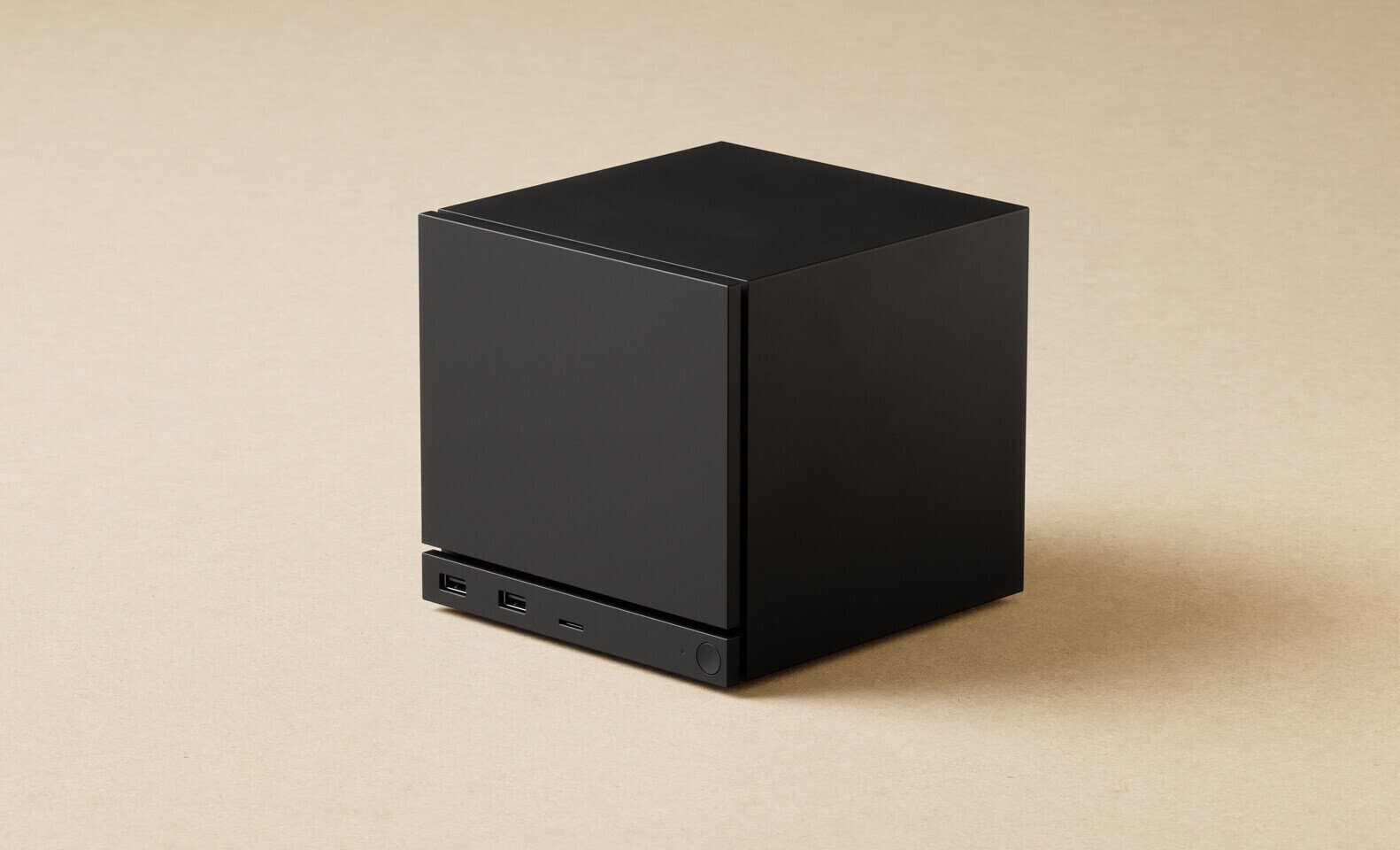
Valve has just introduced a preview of its SteamOS 3.8 operating system, designed for the Steam Deck and other upcoming hardware. This version marks a significant step toward enabling the future Steam Machine, as the SteamOS 3.8 preview build includes initial support for it. This update comes with a host of improvements, such as better support for third-party handhelds, reduced input latency of handheld controllers, optimized graphics drivers with performance and stability fixes, a new KDE desktop environment build, and support for a wider range of Intel and AMD SoCs. For the upcoming Steam Machine, we anticipate optimizations for a semi-custom six-core AMD “Zen 4” processor with 28 compute units of RDNA 3 graphics. Valve claims the PC can achieve 4K gaming at 60 FPS with ray tracing and FSR support. It features 16 GB of DDR5 system memory and 8 GB of GDDR6 VRAM, powering a semi-custom GPU that may be closer to AMD’s RDNA 3.5 than pure RDNA 3.
A complete changelog of added features follows.
General
- Initial support for upcoming Steam Machine hardware
- Updated Arch system base
- Updated graphics driver with performance and stability fixes
- Fix a case where per-app performance settings would intermittently fail to apply when launching a game
- Improved support for the screencasts in Game Mode (e.g. OBS/Discord)
- Fixed dropdown menus not appearing in some games
- Improved VRR frame pacing
- Fixed FSR badge remaining off in the performance overlay, even if it was actually active
- Improved support for games that attempt to open PDF files in external viewers
- Fixed an issue affecting certain titles (such as “SpongeBob SquarePants: Titans of the Tide”) where the game window could have an incorrect position
- Fixed closing certain titles (such as “STAR WARS Jedi: Survivor “) and Starfield resulting in a session crash
- Improved support for certain USB racing wheels and USB devices that boot in a non-standard mode
- Frequently these are devices that appear as USB storage devices with a driver installer, and must be switched to their normal mode by the OS
- Steam Deck controller firmware updates now display update progress on the splash screen
- Fixes issue on specific Steam Deck revisions where firmware updates could render the left controller inoperative for that session
- Numerous stability and security updates
Bluetooth
- Re-re-enable Bluetooth Wake for Steam Deck LCD
- Fix for more spurious wake issues that were present in earlier attempts
Audio
- Detect HDMI channel count and expose surround configuration if available
- Add a setting to allow using Bluetooth headset mics (Bluetooth playback quality will be worse while capture is active)
- Restore internal audio device on reboot if set to “Off” in desktop mode
- Increase suspend timeout for HDMI devices so initial audio isn’t cut off after a few seconds of inactivity
- Fixed a bug with switching input devices when a wired headset is plugged in
- Fixed an issue where audio underruns could be experienced after sleep/resume
Accessibility
- Added an option to force mono audio output
Desktop Mode
- KDE Plasma updated to version 6.4.3 from 6.2.5, and now uses wayland by default
- Fixes several cases of reduced performance in Desktop Mode compared to Game Mode
- Improved support for rotated displays
- Better scale factor out of the box on TVs
- Adds support for external HDR displays
- Adds support for VRR displays
- Adds support per-display scale factor
- For more information, see Plasma release announcements
- Keyboard layout and language are now obeying Game Mode settings
- Improved windowing behavior for games running in Proton
System Firmware
- Includes Steam Deck LCD BIOS v133
Security updates
- Added “Memory Power Down” setup option
- Preliminary support for hibernation
- Includes Steam Deck OLED BIOS v114
- Security updates
- Charging LED now changes color when charge limit is reached, rather than only at 100%
Non-Deck
- Improved compatibility with recent Intel and AMD platforms
- Greatly improved video memory management with discrete GPU platforms
- Fixed a compatibility issue with the SteamOS chainloader that could cause a boot failure on some desktop systems with recent UEFI firmware
- Power button short and long presses now supported across a wide variety of devices
- Improved controller support for OneXPlayer F1 series, GPD Win 5, GPD Win Mini, Anbernic Win600, OrangePi NEO, and Lenovo Legion Go
- Added controller support for OneXPlayer X1 series and Lenovo Legion Go 2
- Added system and controller firmware update support for the Lenovo Legion Go 2
- Added preliminary charge limiting support for Legion Go, Legion Go S, and Legion Go 2 – currently only accessible in Desktop Mode
- Added controller RGB LED color settings for the Lenovo Legion Go 2
- Added controller, TDP control, and speaker audio support for the ASUS ROG Xbox Ally series
- Reduced handheld controller input latency from 5-8 ms to 100-500 us
- Night mode, color vibrance, and color temperature sliders in Steam now work on Z2E and later AMD APUs
- Seamless boot fixes for Z2E and later AMD APUs
- Automatically handle internally rotated display for some third-party handhelds
- Improved motion control support for handhelds with BMI260 IMUs
- SD card reliability improvements for some third-party handhelds, including ASUS ROG Xbox Ally, Legion Go 1, Legion Go S, Legion Go 2, and MSI Claw
- Fixed washed out colors for Zotac and OneXPlayer handhelds with OLED
- Fixed some GPU hangs on Phoenix APU devices (Tales of Arise, Octopath Traveler II)
- Fixed ASUS ROG Ally power consumption from fingerprint reader while shut down
Developer
- Desktop Mode now uses Wayland by default
- X11 support may still be selected via Steam developer settings, or via ‘steamosctl’
- Updated Linux kernel to 6.16
- Steam now uses steamos-manager to query available desktop sessions and trigger desktop session switching
- Added support for setting the desktop password in developer settings
- Initial support for running as a Virtual Machine guest (virtio guest drivers)
- Added support for third-party devices to trigger the SteamOS boot menu via EFI variable
- Added ‘custom-update’ verb to ‘atomupd-manager’ for easier testing of specific builds
- System reports now include more audio debug information
- Initial support for LAVD CPU scheduler via ‘steamosctl set-cpu-scheduler lavd’
Related Posts

‘Snoopy in Style NYC’ Brings Fashion + Design to New York
For a dog whose everyday wardrobe consists of little more than a red collar, Snoopy has develop...

Ford Bronco Filson Brings Outdoor Design to Luxury
In the early 1990s, Ford’s then-new Explorer stood out from the growing pack of sport-utility v...

Ennua Element 01 Brings McLaren Engineering to Furniture
Before João Dias and Patrick Carton designed furniture, they were designing machines built to e...

Obsidian House Brings Nature Into a LA Home’s Architecture
In Studio City, a Los Angeles neighborhood known for its blend of privacy and lush greenery, si...

MUJI Harvard Square Brings New Life to a Brutalist Landmark
Retail stores often take a more-is-more approach, filling their spaces with an overwhelming arr...
Polaroid Go Generation 3 Brings Better Photos to Life
You’re scrolling through the tens of thousands of pictures on your phone, but somehow, nothing ...
Valve Finally Reveals Steam Machine Pricing and Starts Accepting Pre-orders
It's been over seven months since Valve announced the Steam Machine and every single leak and educated guess in relation...
NVIDIA Open-Source Linux NVK Driver Gets Experimental DLSS Support
The open-source, community-driven NVIDIA Linux driver stack has been on a constant march towards feature-parity with the...

Persona 6 Steam and Console Store Pages Live With Scant Gameplay Details
It was recently rumored that the development of Persona 6 had been concluded, indicating that the game would likely be l...
Steam Controllers Available To Order “By September” At the Earliest
The overwhelming demand for the Steam Controller led Valve earlier this year to set up a reservation system by which buy...
SteamOS 3.8 Stable Release: Wider Handheld Support and Improvements for DIY Steam Machines
Despite the Valve Steam Machine being right around the corner, there has been a lot of interest from gamers who want to ...

Fortnite on Steam Deck? Epic Games Hires To Expand EAC Support for Linux
Despite prior harsh criticism from the company's CEO, Tim Sweeney, it seems as though Epic Games may finally be changing...