Blog
Designing with AI without losing your mind

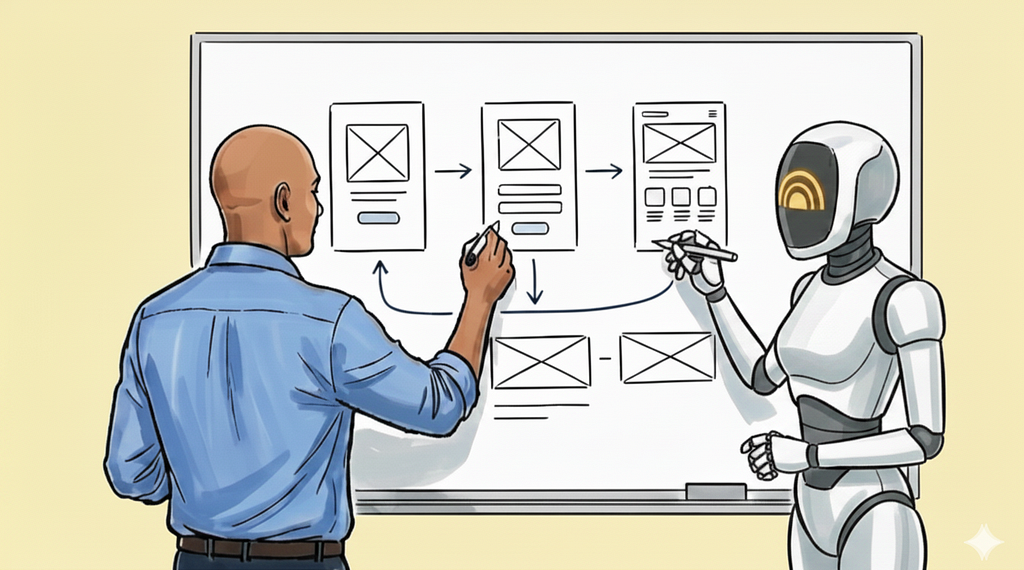
With critical thinking skills on the line I built a real-time AI collaborator, Thia — with vision and voice capabilities to keep early ideas raw, the loop tight, and the thinking mine.
You don’t typically notice changes in your own behaviour until they become more pronounced. I recently found myself reaching all too quickly for LLMs to prompt on design problems I would have previously spent time digesting and sketching out solutions, now I was summoning up high-fidelity designs in seconds. Was I unintentionally outsourcing my thinking? So I built an app to not just reclaim my critical thinking, but strengthen it.
Critical thinking is being outsourced
The sheer flood of recent AI tools to design and build products has shown we’re spending less and less time doing the actual thinking as designers. Clients and stakeholders want processes to run faster, faster doesn’t always mean better solutions — sometimes you don’t need to test a half-baked solution with users because it should never have got past early scrutiny. Testing and learning has become misconstrued into an organisational experimental edict of throwing spaghetti against a wall and seeing what sticks, because making spaghetti has suddenly become cheap.
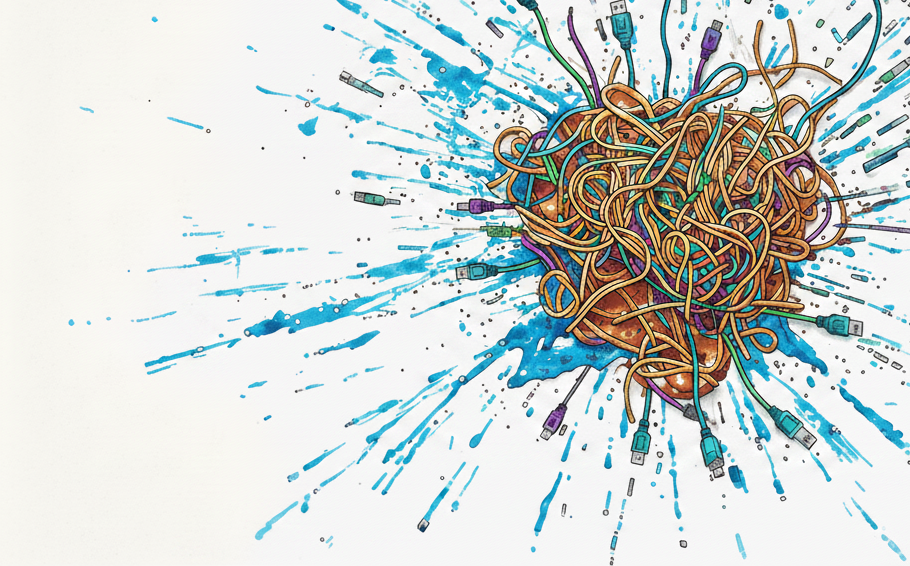
“Testing and learning has become misconstrued — into throwing spaghetti against a wall to see what sticks, because making spaghetti has suddenly become cheap.”
Furthermore people are losing critical thinking skills as they outsource more and more of their thinking to AI. Ironically these are the skills that will be sought after once the dust has settled in the wake of AI’s current charge; being able to make informed decisions, ask difficult questions and to evaluate beyond prompt construction.
I too have found myself turning to AI for menial tasks and I began to become more concerned about my reliance upon it. AI is making light work of building, but there are some spaces in the design process where I believe deep thinking is sacred, where I didn’t want AI to encroach upon.
Keeping ideation sketching human
For me that key stage in the design process is whiteboarding and sketching, rapidly ideating solutions and refining them. I find I’m most effective when I have individuals to bounce ideas around with, that can critically question and help shape those seedling ideas into something more fully formed. Working remotely and on solo-projects means collaborators aren’t always at hand to be sounding boards or have the deep context you need to build upon each other’s ideas and most importantly scrutinize and evaluate their merit.
So why not have AI work for me to support this deep thought space, not eviscerate it. A solution began to take form, an AI collaborator that would engage in socratic dialogue whilst sketching ideas like a great colleague.
My collaborator, my terms
This collaborator app had to address a very specific user-base of just one, me. It was imperative that it work on my terms and it supported my design process, by which I meant it had to see what I was sketching, have context to understand and discuss it with me in real-time. I wanted my ideas to flow freely, like they might in a workshop or meeting with a colleague, so uploading a sketch to an LLM then chatting to it and asking for ideas was not going to cut it. That’s too slow a feedback loop and akin to a waterfall process, with a staccato rhythm that kills any chance of achieving a flow state. Creative thinking and ideas are messy and fluid, I believe in getting them out, organising later.
But I also wanted scrutiny, I didn’t want feedback that amounted to ‘yes’ all the time or ‘great idea’. I wanted to weed out the weak ideas and build on stronger ones — to bring in different perspectives, to push and challenge them, until I had kernels worthy of further development.
Some might say use Google Stitch, it can fire up a bunch of design ideas through a simple prompt, and verbally address it using natural language; or Google’s AI Playground with real-time capabilities where you can set-up a webcam and do exactly what you’re asking or even the Gemini app. These all fell short, Gemini and Playground weren’t tuned to be critical — which is what I wanted from a collaborator, so they didn’t fit the bill. Stitch is impressive — but goes immediately to high-fidelity, great for later ideation, but isn’t what I was after.
“I didn’t want feedback that amounted to ‘yes’ all the time. I wanted to weed out the weak ideas and build on the stronger ones.”
Breathing life into Thia
So it had to feel like my AI collaborator was there working on the design concepts with me, being critical and not just spewing out countless ideas. I landed on using Google AI Studio to build my App, a contained development environment with access to the frontier real-time models I needed. I also wanted to use this opportunity to delve deeper into building AI tools beyond a POC or vaporware for user testing, to something that I could genuinely use.
I had a working prototype with one prompt, which did pretty much the bare bones of what I wanted. It worked, it wasn’t pretty by any means, but it wasn’t that usable. Through countless prompt refinements about a day later I had brought to life my AI collaborator, Thia.
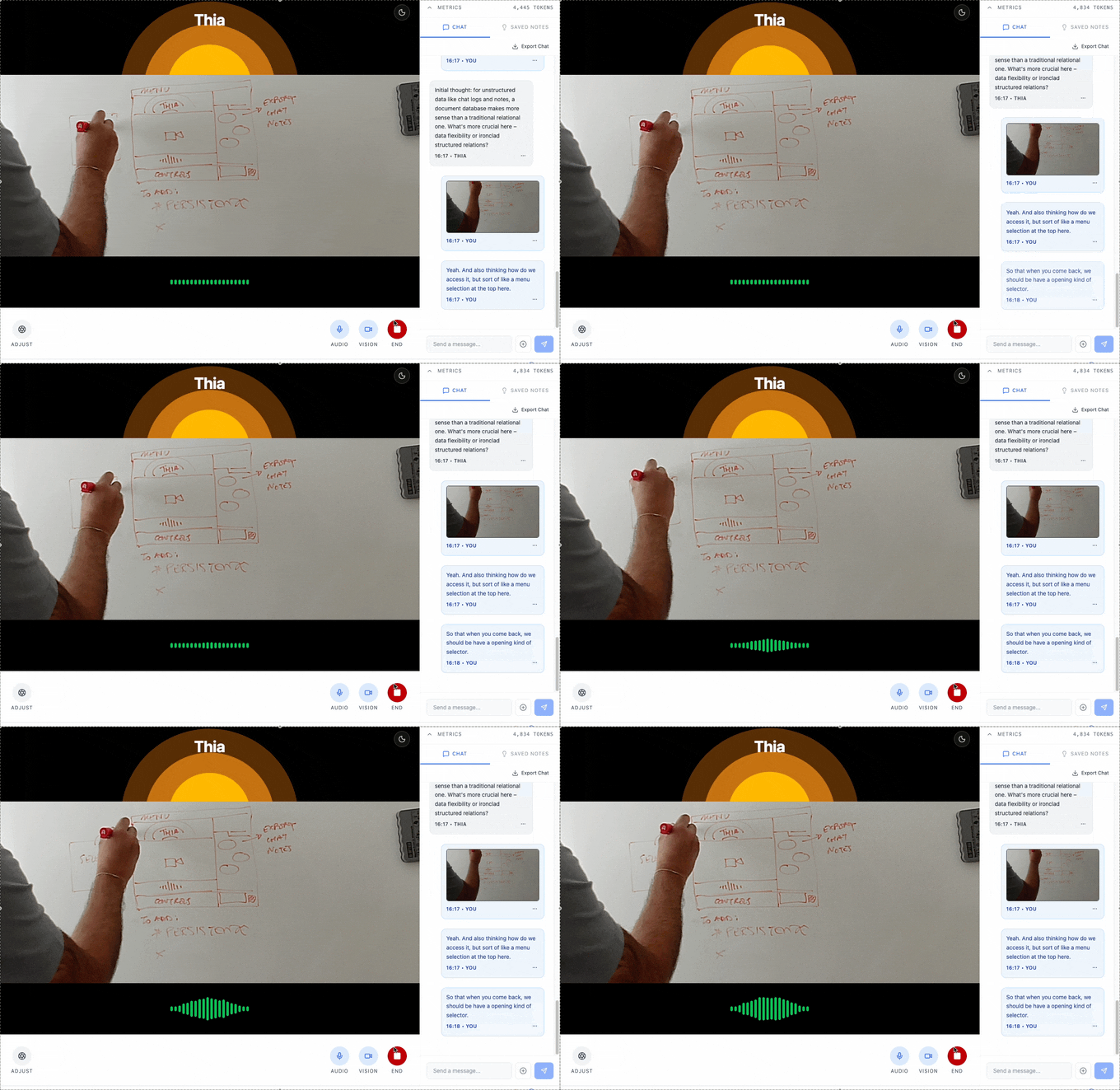
I now began to use this early incarnation of Thia, to design Thia. I simply pointed the webcam at my whiteboard, began sketching the ideas I wanted to explore and engaged in Socratic dialogue with Thia. Ultimately, I sketched out concepts for more of the elaborate features, such as note summaries and camera controls.
I found that at this stage, I began to reach for adjacent AI tools for specific needs, Figma and Stitch to explore design systems and motion animation to add more polish and refinement, before folding it back into AI Studio. The process was liberating, addictive, and very easy to be sucked into rabbit holes. It’s easy to see why designers feel that the design process is drastically changing, but it’s here that discipline is needed most, to keep re-evaluating your designs against your problem statement.
After three days of heavy prompting, hitting my token spending caps (twice) I released the Thia app onto Github for all to play with and build upon. I highly recommend giving it a go; it’s by no means perfect but it works across mobile and desktop devices and I have found it’s been useful in the early stages of other projects I’m working on, too. If you want to try out Thia yourself, there are some links at the end of the article.
When speed becomes the enemy of thinking
I could not have built anything close to this app in three days without AI, the capabilities we have at hand are truly immense. I got to play and design features like animating Thia’s breathing cadence — something I would have written off as nice to have in the past. I can see this replacing UI pixel pushing in prototypes and this finesse all too easily acting as a facade papering over fractured concepts and weak value propositions.

With so much noise in AI tooling and collective hype driving everyone to ship faster — the rigour of the design process is being glossed over in favour of building quickly. But what happens if you don’t invest the time in proving the concept early on and just build the wrong thing, your competitors will just leap frog you with a superior product, regardless if you’re first to market.
Those developing enterprise software will know that it’s all too easy to fall into the feature factory trap, shipping features every quarter onto a product that feels increasingly held together with sticky tape. Then you land in the world of balancing the deluge of experimental archaic features that some customers love, but comes with the cost of fragmenting your overall experience and inhibiting you from growing at pace. A real reason why it’s so important to make sure we build the right thing.
For this app I wanted to embrace new approaches and treated it as a learning experience, but beyond prototyping, these tools simply augment the design process, not upend it. If there is one thing I learned from experimenting is that they are all still in their infancy, good for ideation and going wide or exploring ideas deeper, everyone is still figuring out how to use them as part of their process.
Critical thinking requires some friction
If you take a step back, the real game changer with AI in product development is the speed at which we can execute at each stage. It doesn’t mean we stop researching with users to inform our solutions or cut out time to create and refine robust ideas, it just means we can accelerate the design process — not skip out on parts of it.
“The only way to retain critical thinking skills is to use them, by keeping them sharp — that means embracing cognitive friction and not simply rushing to the finish line.”
The tools will become easier to use, but to build robust systems we will need designers who understand how to ensure products and value propositions are robust and support a healthy business model. It’s here we need critical thinking skills where we can analyse, evaluate and cross-pollinate ideas across domains in order to create something greater than the sum of its parts. The cost of losing those skills is too high a price to pay.
For me it was about keeping that sketching and ideation time sacred, the act of realising an idea through physically sketching and writing is a primeval one, it literally builds memories compared to typing, it activates parts of the brain to forge new connections deeper into long-term memory and helps us internally evaluate and think. I do not want to lose these very human skills.
I built an AI collaborator not so I could build faster, but so I could spend more time critically thinking and making sure I nurtured the most robust ideas.
Explore further
- Thia Critical Collaborator partner, on AI Studio — Give it a go and try it yourself on Google AI Studio. Use an API key if you don’t want it to train on your data.
- Thia Critical Collaborator on GitHub — Explore the source code, fork and remix.
- Google AI Studio Tutorial by Bex Tuychiev on Data Camp, Great article on understanding and using the suite (Dec 2025)
- To be human is to live with friction. That’s something AI boosters will never understand by Alexander Hurst on the Guardian (Apr 2026)
- The last interface by Heenesh Patel, I wrote about the impact of multi-modal AI agents on SAAS products (Mar 2026)
Thia’s roadmap
I’m evolving the feature set as Thia becomes a key part of my design process, a flavour of things to come:
- Overwriting on screenshots to amend or illustrate new ideas
- Increasing the number of modalities with simultaneous multiple participants
- Calling upon multiple models for more complex tasks
- Orchestrating multiple agents on OpenClaw’s platform
- Acting as a sketching tutor
Feel free to reach out on LinkedIn if you want to connect and collaborate on Thia.

Designing with AI without losing your mind was originally published in UX Collective on Medium, where people are continuing the conversation by highlighting and responding to this story.