Blog
KDE Update Adds Optional Per-Display Virtual Desktop Support

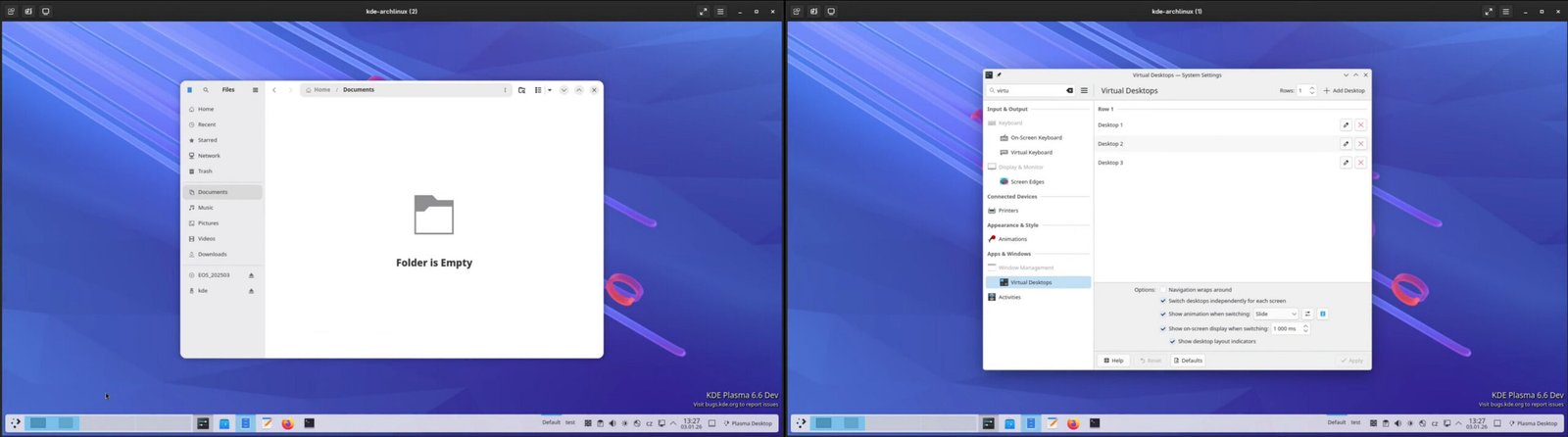
This would make KDE the only one of the big two—KDE and Gnome—to support per-monitor workstations, although it still has some limitations, the least of which is that it will not work in X11 sessions, although it should work with XWayland apps, since those are usually handled like Wayland apps by the compositor. The new feature is expected to arrive in KDE Plasma 6.7, which is slated for a June 2026 launch, with public beta testing slated to go live on May 14. The developer’s full explanation for the new functionality follows.
Behavior
Here is a summary of the behavior (with per-output desktops enabled) from the user perspective:
- Virtual desktops exist independently of screens.
- Each screen can show any virtual desktop (1 at a time).
- Each virtual desktop can be shown on any number of screens.
- Each window belongs to 1 screen (even if it spans multiple screens), and to any number of virtual desktops. The window is visible if its screen shows one of the virtual desktops that the window belongs to.
- Switching desktops via keyboard shortcuts (and most other methods) affects the currently active screen.
- API allows you to switch any screen to any desktop.
If you want to try it yourself, I prepared AUR packages which backport the changes to Plasma 6.6. Read the instructions carefully. Use the AUR packages at your own risk (ideally in a VM, not a work machine etc).
Please note that the functionality implemented by this MR does NOT work like Hyprland etc, where workspaces are separate for each screen and switching to a workspace activates its screen as well. This is not because I’m not aware of the alternative behavior, but because I prefer it the way I implemented it. I’m aware that some/many people are going to be disappointed by that. But there is no one right way that is going to satisfy everyone. Had I implemented it the Hyprland way, I’d disappoint different people.
If you’re one of the people who would prefer a Hyprland-like behavior, please keep in mind that if this MR succeeds, it doesn’t mean that all is lost for you (there’s no reason that KWin can’t eventually support both). Not only are you no worse off than before (the current behavior of having the same desktop on all screens is supported), this MR actually implements a lot of the stuff that you’ll need to implement the behavior that you want (e.g. you can’t have a Hyprland-like behavior, if you can’t show different desktops on different screens).