Blog
Xbox App Can Now Add Any Third-Party Game to Its Library

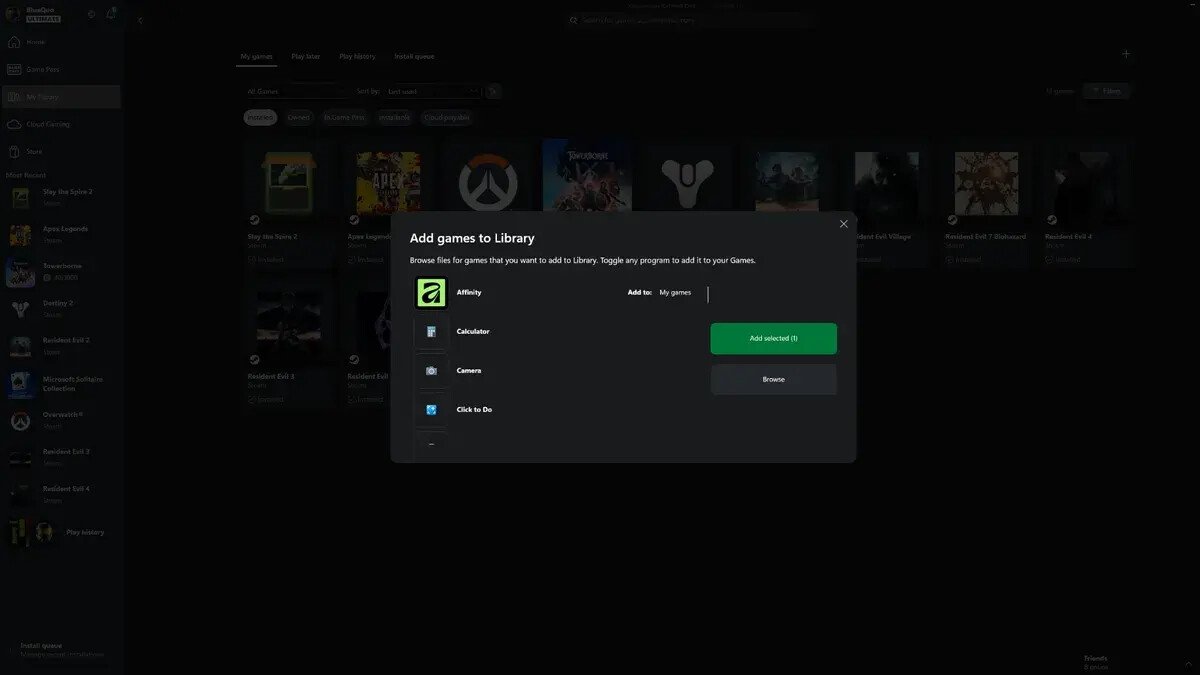
The process is quite simple. After opening the Xbox App on your PC, go to the “My Library” section, find the small “+” icon in the top right corner, and click it to see suggested additions. If your application isn’t listed among the suggested files, the Xbox App enables you to use File Explorer to manually browse for files and locate what you want to display. Nearly any .exe file can be added, including games, productivity apps, or almost anything you can imagine. The only limits are your imagination or something that hasn’t been tested yet. For users who want to use the Xbox App as a single app launcher, this feature allows you to embed any game or app within the same user interface, which is a nice option for those who enjoy the Xbox App’s user experience.